On this page
- How it works
- The two socket standards
- Kailh hot-swap sockets
- Gateron hot-swap sockets
- MX vs Kailh Box stem — not the same question
- Optical hot-swap is its own world
- "Hot-swap ready" vs true hot-swap
- How to swap a switch
- When hot-swap actually matters
- When hot-swap doesn't matter
- Caveats vendors don't advertise
- Quick buying guide
- FAQ
- Further reading
"Hot-swap" is one of those terms that sounds more technical than it is. A hot-swap keyboard has little mechanical sockets under every key where you can push a switch in and pull it out — no soldering iron, no flux, no heat gun. If you think you might want to try different switches later, hot-swap is worth the modest price premium. If you already know exactly what you want, you can skip it.
How it works
A regular mechanical keyboard PCB has two or three holes per switch position. The switch pins get soldered through those holes. Permanent, reliable, but not swappable without desoldering.
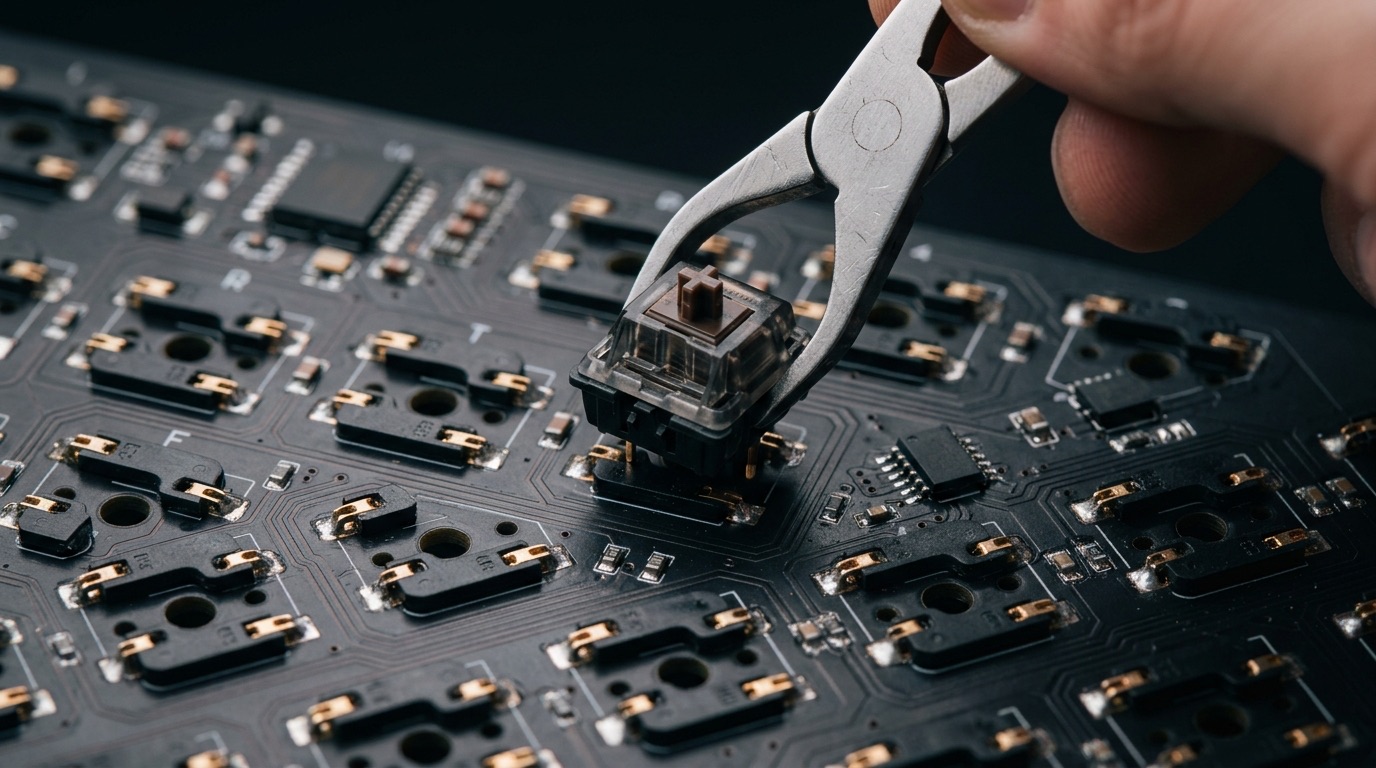
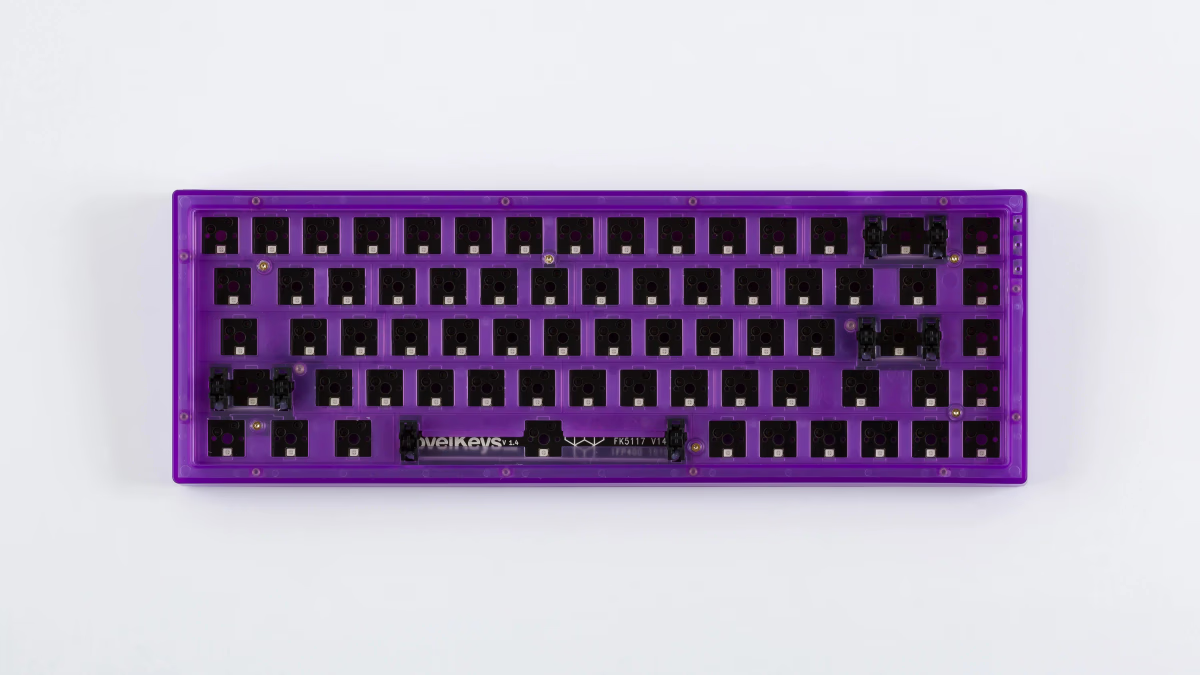
A hot-swap PCB has those same holes, but instead of soldering the pins, you push them into spring-loaded metal sockets mounted to the back of the PCB. The sockets grip the pins tightly enough to maintain electrical contact, but loosely enough that you can yank the switch out with a switch puller.
The two socket standards
This is where most confusion starts. There are two mainstream hot-swap socket brands, and while they're functionally similar, they're not identical.
Kailh hot-swap sockets
The original. Found on GMMK, Drop CTRL, Keychron V series, Glorious boards, and most budget hot-swap keyboards. First-generation Kailh sockets are rated for around 100 insertions; the second-generation sockets (introduced ~2022, now standard on most reputable boards) are rated up to 6,000 cycles. Always check whether a "hot-swap" board uses the new generation if you plan to swap switches frequently.
Gateron hot-swap sockets
More recent, used on Keychron Q series, Keychron K Pro, many enthusiast customs. Slightly more forgiving of pin alignment. Older Gateron sockets were rated for 80–100 insertions; current Gateron 2.0 sockets are rated for thousands of cycles. Gateron brands them "Gateron hot-swap."
Both work with standard 3-pin or 5-pin MX-style switches. Some boards support only 3-pin (e.g., certain Akko prebuilts). Most modern hot-swap keyboards support both.
MX vs Kailh Box stem — not the same question
Confusingly, "MX stem" refers to the cross-shaped stem under the keycap — both Cherry MX and Kailh make switches with MX stems, and they fit any MX keycap.
But Kailh also makes a distinct "Box" switch family (Box Jade, Box Navy, Box White) whose stems are square-jacketed for dust and moisture resistance. Box switches still use MX keycaps, but the feel and sound profile is different from plain MX.
Stem type and socket type are independent:
- MX stem + Kailh hotswap socket: Cherry MX Red, Gateron Yellow, anything Cherry-style
- Box stem + Kailh hotswap socket: Kailh Box Jade, Box Navy
- MX stem + Gateron hotswap socket: same as above, different socket brand
All of these are "hot-swap compatible" as long as the pin count matches.
Optical hot-swap is its own world
A handful of boards (mostly from Razer's Huntsman line and a few Glorious GMMK variants) use optical switches that interrupt a beam of light instead of closing electrical contacts. They're often hot-swap, but only with optical switches — they're not pin-compatible with regular MX. If you're shopping for an optical board, plan on buying optical switches; you can't swap in a Cherry MX Red.
"Hot-swap ready" vs true hot-swap
Watch the wording on cheap boards. "Hot-swap ready" sometimes means the PCB has space for sockets but the manufacturer didn't actually solder any in — i.e. you have to buy and install your own sockets, which means desoldering the existing pads first. True hot-swap boards say "hot-swap" plainly, list a socket brand (Kailh or Gateron), and accept switches out of the box.
How to swap a switch
The whole point of hot-swap is that this takes 30 seconds per switch. The process is the same whether you're swapping one or all 87.
- Power off / unplug the board. Not strictly required (the sockets aren't live in any dangerous way), but it avoids ghost-keys while half-installed.
- Slide the keycap puller around the cap, lift it straight up. Wire-style pullers are gentler on caps than ring-style.
- Slide the switch puller's prongs into the top and bottom of the switch housing. Squeeze the puller and pull straight up — never at an angle.
- Check the new switch's pins. Both should be perfectly straight. If bent, straighten gently with tweezers before installing — bent pins miss the socket and bend further.
- Align the switch over the socket and press straight down. You'll feel two distinct clicks (the pins seating into the socket springs). The switch should sit flush with no wobble.
If a key doesn't register after a swap, 90% of the time it's a bent pin that didn't seat. Pull the switch, inspect, straighten, retry.
When hot-swap actually matters
Hot-swap genuinely pays off in three scenarios:
- You're new and don't know what you like. Swap a set of switches for $30 instead of buying a whole new board.
- You like rotating feel. Linear for gaming sessions, tactile for writing afternoons. No build time to reconfigure.
- You want to experiment with mods. Try lubing, filming, spring swapping without committing the whole set if it goes sideways.
When hot-swap doesn't matter
- You've settled on a switch and don't plan to change. The slightly cleaner sound of a soldered board (no sockets under the plate to resonate) can tip the balance toward soldered for enthusiasts.
- You're chasing absolute sound optimization. Hot-swap sockets add a tiny amount of hollow volume under each switch. Most people can't hear the difference, but purists do.
- Your budget is super tight. Hot-swap adds $15–30 to a build's parts cost.
Caveats vendors don't advertise
- Socket wear. Each insertion slightly deforms the spring contacts. First-gen sockets (~100-cycle rating) start losing grip after about a hundred swaps; second-gen sockets survive thousands. Cheap knockoff sockets fail much faster regardless of generation.
- Bent pins ruin your night. A bent pin won't seat. Straighten with needle-nose pliers or snip and resolder if badly bent.
- Not all "hot-swap" boards are created equal. Cheap boards sometimes use non-Kailh/Gateron knockoff sockets that wear out much faster. Stick with well-reviewed brands.
- Desoldering a broken socket is harder than desoldering a switch. Most sockets are surface-mount and can lift traces if overheated.
Quick buying guide
| Budget | Good hot-swap options |
|---|---|
| Under $100 | Keychron V-series (V1, V2, V3) |
| $100–200 | Keychron K Pro, Leobog Hi75, GMMK Pro |
| $200–400 | Keychron Q-series |
| $400+ | Enthusiast custom boards (most ship hot-swap today) |
FAQ
Is hot-swap worth it for everyone? No. If you've already settled on a specific switch and have no plans to experiment, soldered keyboards cost less and sound a hair cleaner. Hot-swap shines for people who want to try things.
Will any switch fit a hot-swap board? Any standard 3-pin or 5-pin MX-style switch fits boards with Kailh or Gateron sockets. Optical switches do not fit electrical sockets, and low-profile (Choc) switches don't fit MX sockets. If your board accepts only 3-pin, you can clip the extra pegs off a 5-pin switch.
How long do hot-swap sockets actually last? First-gen Kailh sockets are rated ~100 cycles; second-gen ~6,000. Gateron 2.0 similar. For a typical user swapping switches a few times a year, that's effectively forever. Heavy modders can hit the limit on first-gen.
Can I solder switches into a hot-swap board? Yes — the through-holes are still there. Soldering converts a hot-swap board into a soldered one (sockets remain, but most people who solder are committing). Reversing it (removing solder, restoring sockets) is much harder.
Further reading
- Switches 101 — what you'll actually be swapping in and out.
- Mounting styles explained — how the board holds the PCB and plate, which often matters more than hot-swap for sound/feel.
Our 2026 picks
See all 368 keyboards in the database
Compare specs, view history, see stats and vendor prices — the tools back you up past this article.
Keep exploring